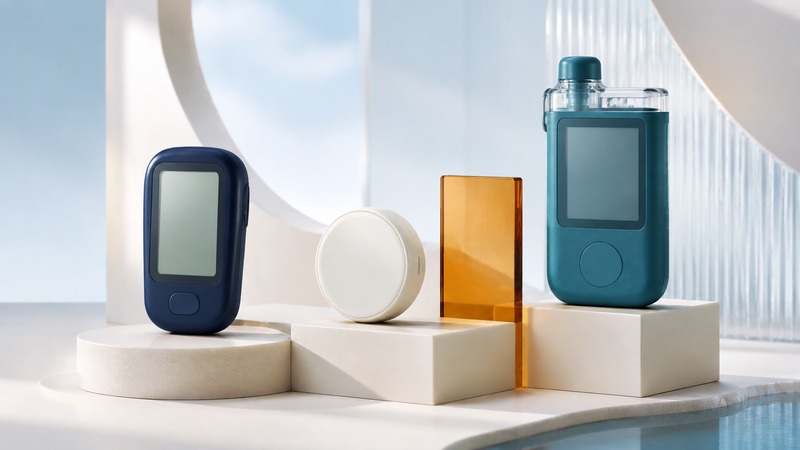
A glucose monitor helps answer what glucose is doing. An insulin pump delivers medication. Some systems connect those jobs, but a sensor, an app, and a pump do not automatically form a working treatment system.
The useful starting point is the decision you and your diabetes team need to make: occasional checks, continuous trends and alerts, or support for insulin delivery. The right choice also has to work with your vision, dexterity, daily routine, budget, and access to supplies.
What each tool actually does
On a small screen, scroll the table sideways to read all columns.
| Tool | Information or action | What to confirm |
|---|---|---|
| Blood glucose meter | Tests a small blood sample at a particular moment. | Compatible strips, testing technique, and when your care plan calls for a check. |
| Continuous glucose monitor (CGM) | Uses a sensor to estimate glucose in fluid between cells, showing changes over time. | Whether the specific model provides the alerts and treatment-decision functions you need. |
| Insulin pump | Delivers insulin according to its programmed operation and user input. | A pump is not itself a glucose measurement; identify any connected sensor separately. |
| Automated insulin delivery (AID) | Combines sensor information, a control algorithm, and compatible insulin delivery. | The exact approved combination, required user actions, training, and backup plan. |
The NIDDK explanation of continuous glucose monitoring describes the sensor, display, and role of trends. A blood reading and an interstitial-fluid estimate need not match at every moment. Follow the device instructions and your care plan when symptoms and readings disagree, including when to use a blood glucose meter.
“Connected” does not always mean automated
Sending readings to a phone is data sharing. Sending them into an authorized insulin-control system is a different function. The FDA’s explanation of artificial-pancreas systems describes the roles of the CGM, algorithm, and pump. AID can adjust delivery within the system’s design; it does not remove the need for training, supplies, and the actions specified by that system.
Before changing a component, ask the device team to write down the full combination: sensor model, pump model, controller or app, and supported phone and operating-system version. A familiar brand name is insufficient. Ask which features stop working if the sensor disconnects, the phone is unavailable, or the pump cannot deliver insulin, and obtain the clinical backup instructions before that happens.
Keep medication doses and device settings in the plan provided by your clinician. A comparison article cannot supply safe replacement settings for an individual.
Treat readings and alerts as a system
An alert can be configured correctly in an app yet fail to reach you as expected after a phone change. The FDA’s smartphone-alert safety communication advises checking alert settings and compatibility, particularly after software updates or connecting accessories. Review how sound, notifications, and connected headphones behave with the manufacturer’s instructions.
Make the support question concrete: “How do I verify alerts are working on this phone, and whom do I contact if they are not?” If someone receives shared readings, agree what they will do and when they are actually available. Sharing data does not establish continuous clinical supervision.
For a doubtful reading, record the time, symptoms, device message, and any comparison reading obtained under your care plan. That is more useful for troubleshooting than a cropped screenshot without context. Seek urgent medical help for severe symptoms rather than waiting for an app or a message reply.
Over-the-counter access is not a universal substitute
Read the intended-use statement. For example, the FDA’s clearance announcement for Stelo describes an over-the-counter CGM for adults who do not use insulin and says it is not designed for people with problematic hypoglycemia. This illustrates why retail availability alone does not establish suitability for insulin decisions or low-glucose warnings. Check the current labeling of the particular product.
Also distinguish a watch displaying data from a separate CGM from a watch claiming to measure glucose on its own. The FDA warning about standalone glucose-measuring watches and rings addresses products claiming to measure glucose without piercing the skin; it does not describe ordinary displays of authorized sensor data.
Questions that expose the practical differences
- Purpose: What decision will these readings help me make, and which decisions still require a different test or clinical review?
- Usability: Can I read the display, hear or feel the alerts, and replace the consumables? Is a compatible receiver an option?
- Continuity: Which strips, sensors, and other supplies are required? What is the reorder process, and what happens during a supply interruption?
- Total cost: What does my plan cover initially and repeatedly? Which training and follow-up visits are included?
- Support: Which number handles a faulty sensor, which handles clinical symptoms, and what is the after-hours plan?
- Data: Who can see the readings, what does the clinic review, and how can access be changed?
Download the glucose-monitoring appointment worksheet (plain text). Fill in the exact models with your team and keep it with your device instructions. Revisit the worksheet when a component or your treatment changes.
Related resources
General educational information, researched September 5, 2026. Use your care team’s instructions for your own health, treatment, and devices.