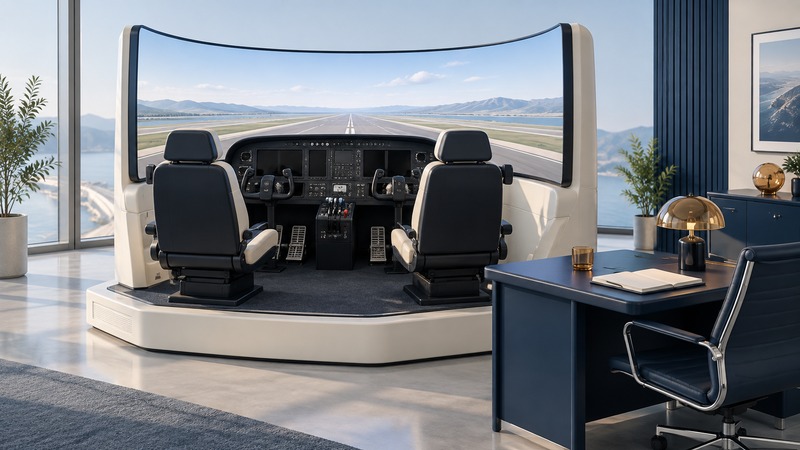
Choose a simulator session by the skill or requirement you want to address. A home program can support familiarization, an approved aviation training device can support specified training and experience, and qualified flight training devices or full flight simulators serve other approved purposes. The useful evidence is the device documentation and the applicable training rule, not the realism of the screen. This guide focuses on U.S. FAA terminology.
On a narrow screen, scroll tables sideways. Keyboard users can focus a table and use the arrow keys.
Compare the device categories
| Category | Useful starting purpose | Credit verification |
|---|---|---|
| Home simulation software and controls | Familiarization and instructor-directed practice | Treat a consumer installation as practice unless the complete device has the required approval. |
| Basic Aviation Training Device (BATD) | Specified foundational procedural and instrument tasks | Current FAA letter of authorization for the exact approved configuration. |
| Advanced Aviation Training Device (AATD) | Additional capabilities within the approved training role | The device letter, configuration and limits for the intended use. |
| Flight Training Device (FTD) / Full Flight Simulator (FFS) | Qualified training, checking or aircraft-specific uses within approvals | Qualification and the approval for the course, operator or task. |
FAA AC 61-136B covers BATDs and AATDs and distinguishes them from FTDs and FFSs governed by Part 60. The FAA's simulation qualification guidance provides the corresponding references. A motion platform or detailed cockpit is a physical feature; its approved use is a separate question.
Write the goal before booking
Use a precise goal such as “practice the navigation-system workflow with an instructor” or “maintain instrument experience under the applicable rule.” Those two sessions may use similar equipment while requiring different documentation.
- Familiarization: identify controls, terminology and a workflow using the correct manuals. Have an instructor check that the simulated system matches the aircraft you will use.
- Certificate or rating training: establish the relevant rule or approved school syllabus, eligible device time and instructor requirements before counting the session toward a requirement.
- Recent experience: check the applicable currency rule, your own dates and the device approval.
- Proficiency check or type-specific qualification: ask the authorized provider which device, evaluator and approvals apply to the complete check.
A device suited to one task may reproduce another system poorly. Compare control layout, avionics version, instructor functions, scenario reset and debriefing tools with the actual learning objective.
Verify the approval and the rule together
Request the current letter of authorization (LOA) for a BATD or AATD. Check its device identification, approved hardware and software configuration, expiration and permitted uses. AC 61-136B's approval and logging provisions explain the documentation framework. Keep a copy relevant to any credit you plan to claim.
For instrument recent experience, 14 CFR 61.57(c) permits specified tasks in an appropriate FFS, FTD or ATD representing the aircraft category, in simulated instrument conditions. The rule also distinguishes recent experience from an instrument proficiency check under paragraph (d). Use your logbook dates and the current requirements to determine which situation applies.
The FAA's AC 61-98E provides current flight-review and instrument-proficiency guidance. Work through the intended use with an appropriately authorized instructor or provider. Instructor presence, endorsements and allowable credit depend on that use; a general claim that “all simulator time counts” is insufficient.
Questions a provider should answer
- What is the exact device category, model and approved configuration?
- Can I inspect the current LOA or qualification documentation before paying for a credit-bearing session?
- Which rule or approved curriculum does my session address, and what portion can this device satisfy?
- Who supervises, instructs or evaluates the session, and what authorization is required?
- How is the session recorded, including device identity, date, tasks, time and any required signature?
- What happens if the device or relevant simulated equipment becomes unavailable?
Download the printable simulator-session planning sheet to record the answers, supporting documents and unresolved questions. The sheet organizes verification; it is not a logbook endorsement or an approval.
Make the session produce a learning result
During the debrief, identify one action that improved, one recurring error and the next supervised practice task. Save useful instructor notes and any permitted session replay. Ask how the practiced skill will transfer to the real aircraft, including differences in control feel, cues and avionics.
Home practice is most useful when its scope is agreed with the instructor. Repetition of an incorrect sequence can reinforce the wrong habit; verify against the relevant aircraft documentation and training plan before rehearsing it repeatedly.