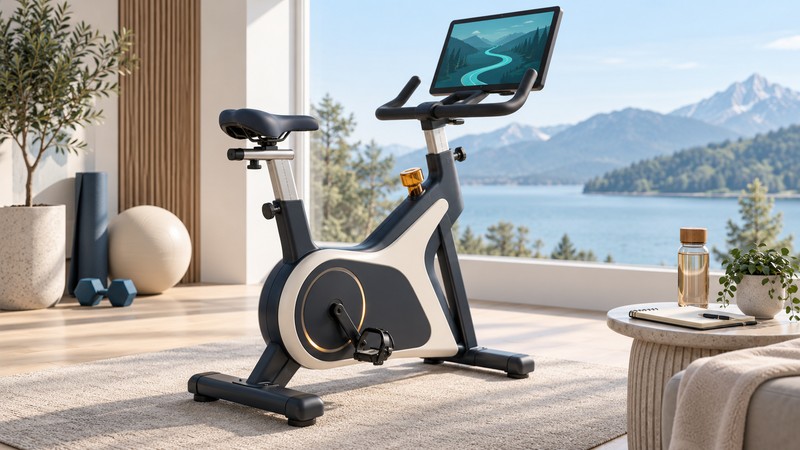
A connected exercise bike is a machine plus a software arrangement. Before choosing one, establish what works on the bike itself, which functions need another device or a subscription, and what remains usable when that arrangement changes.
Separate the machine, connection and service
The neXfit ExerGame bike introduced in 2005 combined pedaling with games, internet features and feedback through its controls. It illustrates a lasting ownership question: how much of the experience depends on technology outside the exercise mechanism?
| Part | Question to answer | Evidence to request |
|---|---|---|
| Mechanical bike | Can each intended rider adjust, pedal and stop it appropriately? | Exact manual and a supervised fitting demonstration |
| Local console | Which controls and readouts work without an account? | A demonstration in the stated mode |
| Device connection | Which data reaches the chosen app? | Model-specific pairing instructions and supported-device list |
| Online service | Which classes or games require payment and connectivity? | Current plan terms, supported region and cancellation rules |
The BowFlex C6 product page, checked October 2, 2026, provides one example: a local LCD, a separate phone/tablet holder, and compatibility claims for JRNY, Peloton and Zwift. That architecture differs from an integrated touchscreen. Verify each app’s current pairing instructions; a compatibility logo by itself leaves the data and control details unanswered.
Test the features you care about
Write a short acceptance list: perhaps a local time display, cadence in a particular app, or a virtual route that reacts to pedaling. Cadence means pedal revolutions per minute. Power, resistance level, heart rate and speed are separate signals; a successful Bluetooth connection may supply only some of them.
- Record the bike model, console/firmware version, phone or tablet, operating system and app version.
- Use the official pairing procedure. Check the app’s live sensor fields during a permitted demonstration.
- Confirm who controls resistance: the rider, the program, or both. Ask specifically about the chosen app and mode.
- Compare operation with an active plan, with the plan inactive, and without internet access where supported. These are three distinct conditions.
- Save a sample activity and inspect what the intended export or linked service retains.
Request a demonstration when a must-have function is unclear. A seller’s screen recording from another model or an earlier app version leaves a compatibility question open. For body fit, entry, stopping and space, use the broader cardio-equipment comparison.
Compare costs over the same period
Include the bike, delivery, assembly, required device, accessories and the particular service tier that supplies your chosen features. Record the trial end date, renewal rate, household/profile rules and cancellation method. A free trial and a permanent free mode have different value.
Repeat the comparison if the two products deliver different experiences. A cheaper plan that omits your preferred class or sensor feature is a different purchase.
Plan for service and a future handover
Ask which parts can be replaced independently: pedals, drive components, console and screen. Obtain the current repair route, labor arrangements and warranty terms for your country and purchase status. For a used bike, confirm that the seller can remove their account and that your own activation is allowed before paying.
Search the CPSC recall database and the manufacturer’s current notices using the exact model. A factory reset addresses account data; it cannot resolve a mechanical defect or recall. Use the manufacturer’s transfer instructions and confirm that the old owner’s personal information is gone.
Download the connected-bike ownership checklist. Mark each requirement as demonstrated, documented or unresolved. Choose when the essential functions and support questions have clear answers.
Explore the fitness library
Browse fitness guides for planning, movement, equipment and evidence. Source links appear beside the information they support.