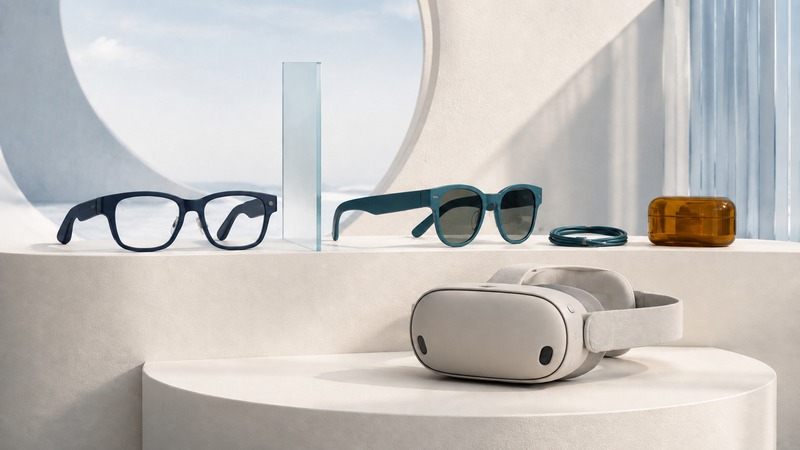
Cyber fashion brings computing into objects worn on the body. For eyewear, the first decision is surprisingly basic: do you want to hear information, capture it, see a small display, or spend time inside a larger virtual workspace?
“Smart glasses” does not name one consistent feature set. Two frames can look similar while only one contains a display. A convincing showroom demonstration also says little about whether the complete system fits your prescription, phone, daily routine, and privacy expectations.
Four different wearable experiences
On a small screen, scroll the table sideways to read all columns.
| Type | Main experience | Question to resolve |
|---|---|---|
| Camera and audio glasses | Speakers, microphones, and possibly a camera or voice assistant; a display is not implied. | Do you actually need hands-free capture or audio? |
| Glasses with a compact display | Selected information appears in the wearer’s view. | Which information can this model show, and how is it controlled? |
| Wearable display glasses | A connected source provides a screen for video, games, or work. | Does the source output compatible video, and can you read the screen comfortably? |
| Immersive headset | A larger visual workspace or virtual environment, often with tracking and controllers or gestures. | Where will you use it, and how does it affect awareness of the room? |
Ray-Ban’s documentation separates Ray-Ban Meta camera/audio glasses from Meta Ray-Ban Display. Do not transfer a feature from one line to the other just because the names overlap. Check the exact generation and model.
A claimed virtual screen size describes a viewing arrangement, not a physical screen you can measure on a wall. Apparent size depends on the stated viewing distance; readability also depends on resolution, optics, alignment, and the content. Try small text and screen edges yourself rather than comparing only the advertised diagonal.
Wear the complete system
Judge the frame with the intended lenses and accessories. Prescription support may mean fitted lenses, a separate insert, a limited prescription range, or no supported correction for your needs. Confirm eligibility and lens-replacement arrangements with the seller before ordering. A focus adjustment is not automatically a substitute for all elements of a prescription.
Look for pressure at the nose and behind the ears, slippage when looking down, and interference with hair, headwear, or hearing devices. A cable can pull on an otherwise comfortable frame. Include the charging case, battery, adapter, and phone in your carrying plan; the headline frame weight does not describe everything you carry.
For displays, try your own kind of content: captions, a spreadsheet, or a game menu. If you have to keep repositioning the frame to see a corner clearly, record that as a fit limitation. Do not rely on a short demo to predict hours of comfortable use. Pause if use becomes uncomfortable and follow the manufacturer’s instructions.
Check the entire signal and power path
A USB-C connector alone does not promise video output. For example, XREAL’s One-series connection guide specifies compatible DisplayPort video output for direct USB-C connections and describes adapters for other sources. Verify the exact phone or computer, port, adapter direction, and power requirements.
For app-connected glasses, check supported phone software, required account, network access, and regional availability of the feature you intend to use. Ray-Ban’s setup documentation lists a supported smartphone, Meta account, and Meta AI app. These dependencies can matter as much as the frame.
Battery estimates need a workload. Continuous recording, calls, display use, standby, and occasional voice questions are different activities. Ask whether a quoted total includes recharges from the case. Test the glasses and phone together under a realistic workload; avoid extrapolating a brief battery-percentage change into a precise all-day estimate.
Use AI for assistance with a way to check the result
Voice assistance can make a short question or message easier when reaching for a phone is inconvenient. Camera-assisted descriptions and translation can also be useful. Availability depends on device, language, region, connectivity, and software. Confirm the actual feature in the current product documentation and try it before relying on it.
Invented trial: ask a supported device to read a clearly printed event sign, then compare its response with the sign and the organizer’s information. Record omissions or mistaken times. That is a checkable use; asking it to decide whether an unfamiliar place is safe would require judgment and information the device may not have.
Before recording, explain what the glasses do and obtain permission where appropriate. A visible recording indicator does not replace the surrounding people’s understanding or the venue’s rules. Avoid recording in changing rooms and other private settings. Check how captures, voice history, cloud processing, deletion, and sharing work in the account settings. Do not assume a locally stored photograph means every AI request stays on the device.
Try the intended task in the intended place
Use the wearable trial record (CSV) to note the exact device, software, source connection, lenses, task, duration, interruptions, and result. Test one realistic task well before adding others. Include setup and recharging time when deciding whether it is convenient.
Use immersive devices in a suitable controlled space. Apple’s Vision Pro space-preparation guidance explains that the device may miss obstacles and that it must not be used while operating a vehicle or bicycle. Seeing a camera view of the room does not make every activity appropriate for a headset.
Check the return policy, including any different terms for prescription lenses, and ask about repairs, replacement batteries or service, and account removal before resale. A useful wearable is one that earns its place in your routine after the novelty has passed.
Related resources
- Frame fit and prescription lens choices
- Plan how to carry your phone and accessories
- Explore the broader fashion-technology overview
- Explore all fashion resources
Researched and updated September 6, 2026. Sources are linked beside the relevant information. Brand examples illustrate specific features or care instructions; they are not product rankings.