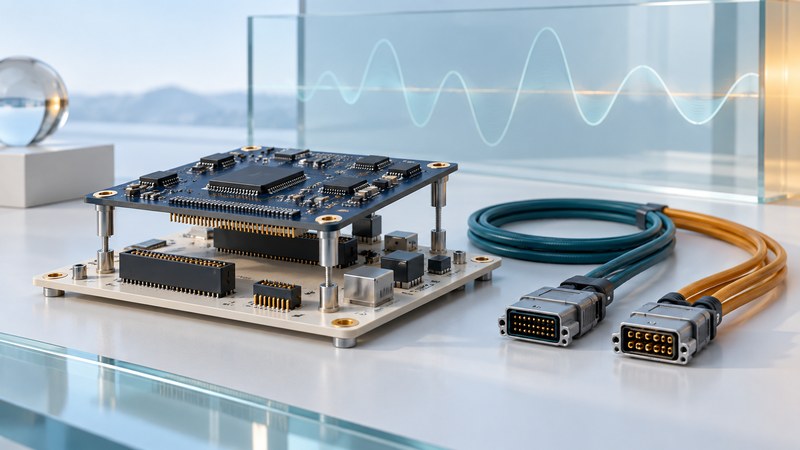
A legacy avionics interface must match both its host computer and the equipment on the other end of the cable. For the P-10SF, the key detail is its 10 Mbit/s implementation of 1553-style command/response communication using RS-485 transceivers.
This guide is for engineers documenting an existing laboratory interface or planning its replacement. It provides a compatibility record and timing example; aircraft installation and operational use require the applicable engineering and approval process.
Identify the exact board before planning reuse
Abaco’s P-10SF product record describes one or two dual-redundant channels, single-function operation and native PMC or carrier-based formats. It lists CORE-API software and Windows/VxWorks resources, and records entry into Restricted Production Phase on January 15, 2010. That dated status warrants an explicit support inquiry for the exact board and software release.
Record the board part number, revision, serial number, fitted options, carrier model and connector arrangement. Match those to the hardware manual and cable pinout. Photograph labels and retain the existing driver and configuration records before changing a working bench system.
PMC means PCI Mezzanine Card: the module connects through a carrier or host designed for that form factor. A carrier’s external host connection and its module-side electrical support are separate checks. Connector fit alone provides incomplete evidence for reuse.
Check four compatibility layers
On a narrow screen, focus this table and use the arrow keys, or swipe, to scroll.
| Layer | Questions to resolve | Useful evidence |
|---|---|---|
| Host and carrier | Does this carrier support the board’s bus, signaling, power, clearance and cooling needs? | Exact module and carrier manuals; supported configuration |
| Cable and physical link | Do transceivers, pinouts, topology and termination match at both ends? | Interface control document and manufacturer cable drawing |
| Protocol and timing | Which rate, role, address and message timing does each endpoint implement? | Required protocol revision and configuration; captured bench traffic |
| Software and lifecycle | Can the host enumerate the device and run a supported API/driver combination? | OS architecture/version, driver/API release and supplier support response |
Conventional MIL-STD-1553B uses a 1 Mbit/s bus. The P-10SF record specifies 10 Mbit/s and RS-485. DDC’s explanation of higher-rate 1553 variants describes the distinct physical-layer arrangements associated with enhanced-rate implementations. Establish the exact variant and its topology from the equipment documents before connecting it to an existing bus. The P-10SF product summary alone establishes no universal interchangeability or conformance to a later standard revision.
In a command/response system, the bus controller schedules exchanges, a remote terminal responds to addressed requests, and a bus monitor observes traffic. Select the role deliberately. Preserve the distinction between the number of independent channels, their redundant paths and the functions that can operate simultaneously.
Translate a line rate into a useful timing budget
DDC’s 1553 word-format explanation describes 16 information bits plus synchronization and parity occupying 20 bit times per word. Command and status words, response intervals and scheduling also consume time.
This example isolates arithmetic under an assumed common word format. A real 10 Mbit implementation needs its own timing rules; dividing an entire legacy schedule by ten would also scale delays that may stay fixed. Build the budget from the documented word times, response limits, schedule and measured software latency.
Plan a controlled acceptance check
- Freeze the evidence: save the approved configuration, manuals, driver versions and expected results. Identify the person responsible for the bench setup.
- Resolve physical compatibility: check power, carrier requirements, connectors and wiring against the exact documents while the equipment is de-energized. Resolve ambiguous pins or termination before energizing.
- Use a dedicated test setup: keep the evaluation isolated from operational aircraft and equipment. Select a documented compatible endpoint and the minimum required role.
- Check one known exchange: compare addresses, word count, payload and status with the expected record. A device that enumerates on the host still needs a verified communication test.
- Expand within the approved plan: check the required rates, redundant-path behavior, reset/recovery and error reporting. Preserve timestamps and configuration with the results.
- Decide on reuse: list unresolved support, replacement and qualification needs. A passing bench test supports only the tested configuration.
If enumeration fails, start with host/carrier support and the driver. If enumeration succeeds but communication fails, review role, rate, physical link and endpoint configuration. If exchanges work but timing slips, capture actual intervals and investigate schedule, buffering and host load. Change one controlled variable at a time.
Keep a working record
Download the editable text worksheet. Save a copy and complete it for one source, interface or feature. It includes instructions, units where relevant, source references and space to record unresolved evidence.