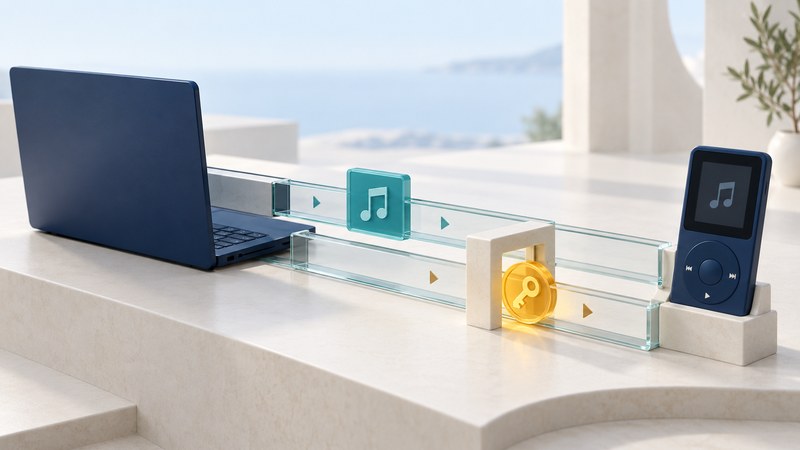
Moving a music or video file and gaining permission to play it are separate operations. A successful copy proves that bytes arrived. Playback also depends on a compatible decoder, the protection system and a usable license. This guide explains that distinction through the early mobile DRM story and a practical transfer investigation.
The interoperability promise behind mobile DRM
In January 2005, Secure Digital Container (SDC) promoted Java-based DRM server and music-client products intended to connect desktop and mobile media. That ambition joined two different forms of portability: running software across platforms and carrying protected content between devices. Java could help implement the software; the media still needed compatible protection and authorization on the receiving device.
The OMA DRM 2.0 architecture, approved March 3, 2006 (PDF) describes separate roles for a content issuer, a rights issuer and a device’s DRM agent. A Rights Object supplies permissions and constraints for protected content. A copy of the content therefore has a different purpose from the rights needed to consume it. This approved document postdates the 2005 product announcement; it explains the standardized model, rather than proving that a particular SDC release implemented every feature.
The useful historical lesson is to ask what a portability claim covers: the program, the media encoding, the protection format, the license exchange or the entire supported device combination. A promise about one layer leaves the others to be checked.
Identify the layer that prevents playback
On narrow screens, scroll the table horizontally. Keyboard users can focus it and use the arrow keys.
| Layer | Question | Evidence to collect |
|---|---|---|
| Container | Can the player recognize the file’s packaging? | File type from a trusted media-information tool; an extension alone can mislead. |
| Codec | Can it decode the audio/video inside? | Codec, profile and resolution compared with the player’s supported formats. |
| Protection | Does the player implement the required DRM system? | Protection metadata and the provider’s device-support documentation. |
| License | Is permission valid for this account, device and use? | The official app’s license/status message and the documented entitlement. |
| Service access | Can an authorized app obtain or renew permission? | Sign-in result, service availability, device clock and the precise error. |
For browser video, the W3C Encrypted Media Extensions specification defines an interface through which a web application works with a supported key system. It includes license-message exchanges; it does not make all DRM products interchangeable. For a developer, browser capability, encoding support and the service’s license policy belong in separate test cases.
Work through a copied-file failure
Fictional case: the copy succeeded, playback did not
Mira copies a protected training video from a working laptop to a tablet. The tablet lists the file but displays “license required.” The copy’s byte count matches. Repeating the copy gives the same result.
- Record the provider, title, original account, working app and tablet model. Keep the working installation intact while investigating.
- Check the provider’s supported-device instructions. In this invented case, the tablet is supported only through the provider’s app.
- Sign into that app with the entitled account and use its documented download function. The app obtains the tablet’s authorization and downloads its supported version.
- Test playback, then test offline use only if the provider documents it. Record any expiry or reconnection requirement.
The outcome is a verified supported transfer. Changing the filename or installing a Java runtime would not address the missing permission. If the device were unsupported, the next step would be an official export option, a supported device or a provider-supplied replacement.
Make a transfer plan that survives device changes
Start with one representative item before migrating a library. Preserve an untouched source copy and record which app can still open it. Work through format and authorization checks independently: an unsupported codec and an expired license can coexist.
OMA’s domain model allowed a rights issuer to authorize a group of DRM agents. Its backup and export cases also imposed conditions. These were defined capabilities that services could implement, not an automatic entitlement to play every protected file everywhere. A backup should be evaluated by a successful restore in the intended supported environment.
- Identify the documented route: account re-download, device authorization, permitted export or restoration to a supported device.
- Run a small test and record the exact player/device versions, expected result and observed result.
- Confirm the functions you need: seek, subtitles, audio tracks and documented offline playback. A thumbnail or first frame is insufficient.
- For a retired service, check its official migration or support information. If no supported path remains, record the limitation and preserve the original evidence; a file conversion alone cannot supply a missing license.
Download the media-transfer checklist to record the evidence and outcome. Keep passwords and license keys out of the worksheet.