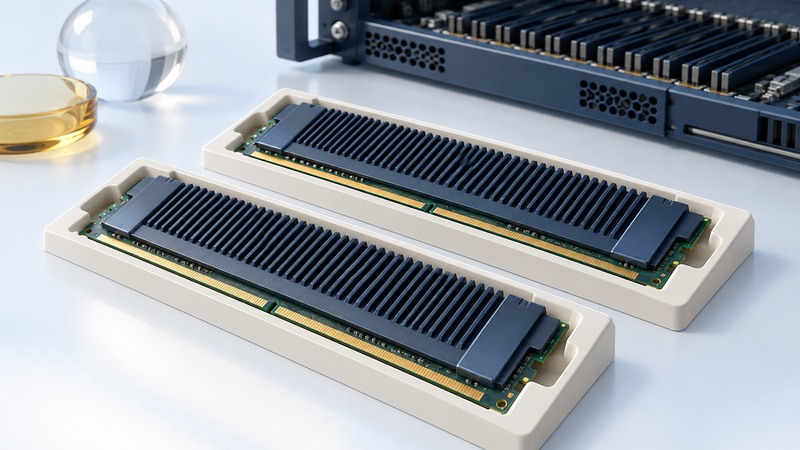
Fully buffered DIMMs belong to a particular generation of server memory architecture. When maintaining an older server, identify the required module family and follow that system's population rules before buying replacements. Capacity and a similar-looking connector are only part of the match.
What makes an FB-DIMM different
A fully buffered DIMM uses an advanced memory buffer, or AMB, between the channel and the module's DRAM. Intel's 6400/6402 AMB datasheet describes a buffer that connects the fully buffered channel to local DDR2 memory. This explains why an FB-DIMM is a distinct compatibility category even when the DRAM generation sounds familiar.
Read the complete module label and system memory specification. FB-DIMM, registered DIMM, load-reduced DIMM and unbuffered DIMM identify different module arrangements; select the family explicitly approved by the system. The general memory module guide covers broader upgrade checks. This guide focuses on documenting a legacy FB-DIMM configuration.
On narrow screens, focus the table and use the arrow keys or swipe to see every column.
| Field | Evidence to record | Problem it helps prevent |
|---|---|---|
| System identity | Server, board revision and manual edition | Using another platform's memory rules |
| Module identity | Part number, FB-DIMM designation and capacity | Ordering a different module architecture |
| Electrical organization | Supported speed, rank and organization | Assuming all equal-capacity modules qualify |
| Population | Slot identifiers, required groups and order | Installing a valid part in an invalid layout |
| Cooling | Required covers, ducts, fillers and module design | Changing the intended airflow path |
Read population rules as a system specification
Oracle's Sun Fire X4450 service manual gives a concrete example: paired installation follows the named slot sequence A0/B0, C0/D0, A1/B1 and onward. Modules within a pair must match in size, speed and organization. The manual also requires fillers in unoccupied sockets and the correct covers for airflow.
Use that example to understand the kind of rule to find, then use your own server's complete manual to determine its allowable configuration. Slot colors and numbering conventions vary. A convenient empty socket is not sufficient justification for placement.
Capacity arithmetic versus an approved layout
Eight modules labeled 2 GB give a nominal total of 16 GB. That multiplication helps check the inventory. Approval still depends on whether those exact modules and their slot arrangement satisfy the platform's specification. Record both the calculated total and the amount reported by firmware after installation.
Plan the service window
Before opening the machine, save the current slot map, installed part numbers, firmware memory inventory and relevant fault logs. Distinguish replacing a reported faulty module from expanding capacity: each task needs a clear expected result and a known starting configuration.
Follow the system's shutdown, power-disconnection and electrostatic-handling instructions. For the X4450, Oracle explicitly requires removing all power before installing or removing FB-DIMMs. Treat this as service work requiring the relevant manual, access and competence, not as a live memory-swap procedure.
Keep removed modules labeled by their original slot. Install only the approved configuration and restore required fillers, ducts and covers before operation. If the system fails to recognize the expected layout, use its documented diagnostic sequence and preserve the error record before changing more variables.
Verify the change under the intended workload
Check firmware capacity, operating-system inventory and the server's memory diagnostics. Review error logs after the initial test and again during representative use. A boot screen showing the expected total is useful evidence, but the acceptance record should also address diagnostics and operating behavior.
Document any reserved memory or operating-system limit that explains a difference between installed and usable capacity. Keep the final slot map, part numbers and test results with the server's maintenance record. For a machine being retained only to recover old data, compare the maintenance effort with a verified migration such as the legacy archive workflow.