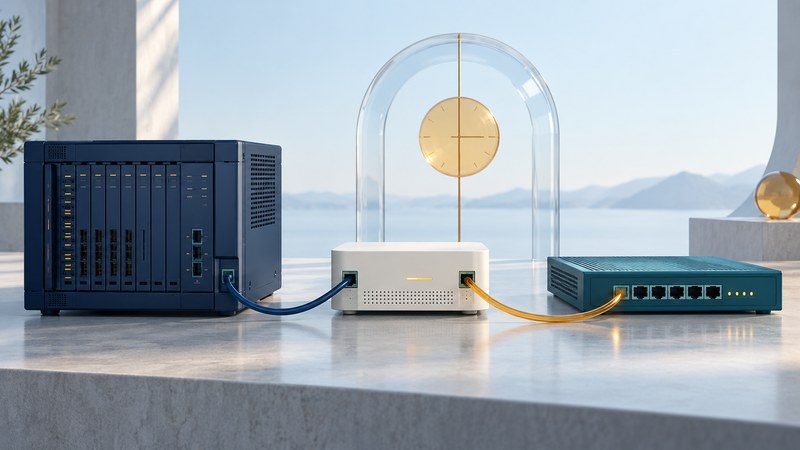
A digital VoIP gateway can connect an existing PBX's digital telephone interface to a SIP service. A successful migration starts with an interface inventory, agreed signaling and clock roles, and tests for the features the office actually uses.
This guide helps an administrator prepare a technical brief for the PBX maintainer, gateway supplier and carrier. It focuses on ISDN BRI and T1/E1 PRI connections. For ordinary analog phones and lines, use the FXS/FXO gateway guide. Have qualified telecom personnel handle physical interface changes.
Identify both ends before ordering
Record the PBX model, installed interface card, software release, active port configuration and carrier circuit documentation. A connector's shape is insufficient: the line type, signaling, wiring and endpoint roles must match.
Swipe horizontally, or focus the table and use the arrow keys.
| Layer | Record | Confirm with |
|---|---|---|
| Physical interface | BRI or PRI; T1/E1 line type; approved cable and port pinout | Both hardware manuals and the installer |
| Digital signaling | Protocol variant, network/user role, framing and line coding where applicable | PBX and gateway configuration records |
| Clocking | Reference source, recovered-clock path and fallback behavior | The complete digital topology |
| SIP service | Authentication or IP policy, number formats, codecs and media requirements | Carrier's current interconnection profile |
| Capacity | Usable bearer channels, licenses, sessions and media-processing limits | Supplier specifications for the selected configuration |
| Features | Transfers, caller identity, keypad tones, fax and special integrations | A written acceptance test |
The Mediatrix DGW configuration guide treats clock-reference selection, line/protocol association and ISDN endpoint roles as explicit configuration tasks. Follow the version and hardware guidance applicable to the actual unit. An automatic-detection feature on one product is not a universal wiring or interoperability guarantee.
Draw the retained and replaced responsibilities
Existing extensions -> retained PBX -> digital interface
  -> digital VoIP gateway -> SIP interconnection -> carrier

Administration: PBX owner + gateway owner + network owner + carrier
Decide whether the PBX keeps its existing numbering and routing while the gateway translates the external connection, or whether the migration changes those functions too. The first scope is easier to test in isolation. If new menus or queues are part of the work, document them separately using the phone-system call-flow guide.
Some gateways incorporate border-control functions; others need a separate service boundary. Identify who manages access policy, SIP interoperability and media routing. The SBC planning guide helps frame those questions without assuming every gateway provides every function.
Find the limiting part of the intended call mix
Count simultaneous calls and distinguish them from registered extensions or calls per second. Check licenses and actual supported media combinations: a session limit with one codec can differ from capacity when transcoding or fax processing is required. Also verify the usable channels provisioned on the digital link.
Plan cutover and rollback as observable steps
- Save the existing PBX configuration, circuit details, number list and tested baseline. Confirm that the backup can be read or restored.
- Agree the new connection profile and test arrangement with the carrier and maintainers. Preserve a reachable support path during the change.
- Test the gateway with a temporary route or controlled subset where the system supports it. Confirm digital link health before interpreting call failures.
- Schedule the cutover, identify who can authorize rollback and state the conditions that trigger it.
- Restore the agreed prior configuration if acceptance fails and rollback remains available. Verify normal calls after restoration.
A number transfer or carrier disconnection may change what can be rolled back. Obtain that answer before the maintenance window. Keep dates, contacts and circuit identifiers in the private change record.
Test the features callers will notice
Test incoming and outgoing calls, both audio directions, displayed numbers, keypad input, hold/resume, assisted and blind transfers, voicemail access and the approved fax method if used. Check busy and unanswered calls, simultaneous-call demand and recovery after a planned restart. Ask the provider for its approved emergency-location verification process; do not make an unarranged emergency test call.
When a test fails, record the timestamp and identifiers on both the PBX/gateway and SIP sides. Distinguish a digital-link problem, a signaling rejection and a media problem before changing settings. The digital gateway migration worksheet captures the interface inventory, owners, acceptance results and rollback limits.