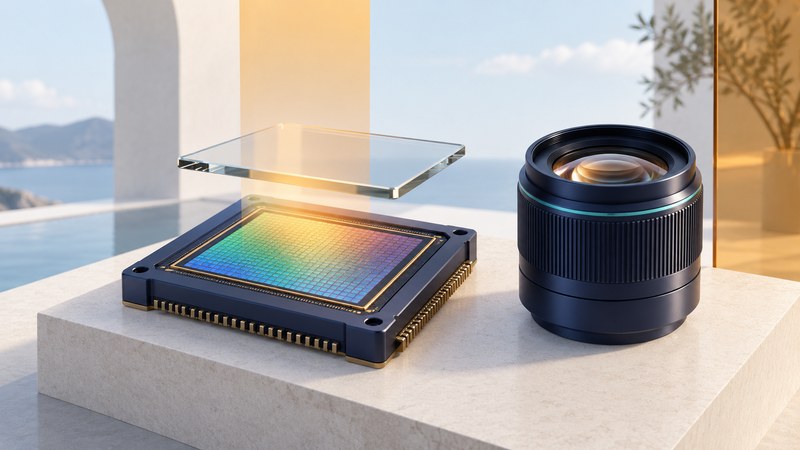
A camera sensor turns incoming light into electrical signals that the camera processes into an image. To interpret a CMOS sensor specification, separate four questions: how large is the light-sensitive area, how many picture samples does it record, how cleanly does it measure them, and how quickly does it read a frame?
CMOS stands for complementary metal-oxide-semiconductor, a semiconductor technology used in the sensor's circuitry. The term identifies a technology family; the camera's useful performance comes from the particular sensor, lens, processing and shooting mode.
Read each specification for its actual job
On a small screen, scroll the table sideways. Keyboard users can focus the table and use the arrow keys.
| Term | What it describes | Useful question |
|---|---|---|
| Sensor size | The physical imaging area, usually specified in millimeters. | What lens coverage, angle of view and system size does this camera provide? |
| Effective pixels | The picture samples used to form the image. | How much cropping or output resolution does my work need? |
| Dynamic range | The span between usable dark detail and saturation under stated conditions. | Can I retain important highlights while rendering the shadows acceptably? |
| Readout time | How long the selected mode takes to read the frame or relevant sensor area. | How will moving subjects and camera movement appear? |
| Back illumination and stacking | Ways of arranging light-sensitive structures, wiring and other circuitry. | What measured benefit does this particular implementation provide? |
Canon's sensor explainer describes the relationship between the imaging surface, pixels and camera formats. Start with actual dimensions: a format label is less useful than knowing which lenses cover it and what field of view your chosen lens produces.
Treat megapixels as a count, then consider the output
Multiply image width by height to find the pixel count. A hypothetical 6,000 × 4,000 image contains 24 million pixels. Cropping to half the width and half the height leaves 3,000 × 2,000, or 6 million pixels: one quarter of the original area.
Fine detail also depends on lens performance, focus, subject movement, exposure and processing. Compare photographs at the same final display or print size. A 100-percent screen view shows individual image pixels, so files with different pixel counts appear at different overall magnifications.
Choose a real deliverable before comparing cameras: a family album, a large print, a tightly cropped distant bird or a video sequence. That makes the resolution question concrete. The phone-printing guide explains how cropped pixel dimensions translate into print dimensions.
Judge exposure and processing together
Sensor measurements contain both scene information and noise. When little light is captured, random variations become more conspicuous, especially when dark areas are brightened afterward. Increasing ISO changes the camera's signal-handling and output behavior; the extra light itself comes from the scene, lens aperture and exposure time.
For a fair comparison, keep the subject, framing, light and final output size comparable, and record the exposure settings. A slower shutter might give cleaner tones while blurring a moving person. Strong noise reduction can smooth both grain and fine texture. Inspect faces, fabric and shadow transitions as well as a flat patch of darkness.
Back illumination moves wiring away from the incoming-light side in the sensor structure. Sony's industrial sensor explanation shows that arrangement and describes specific noise-reduction techniques. Sony's account of stacked sensors explains separate pixel and logic sections. These are design approaches; their names alone establish neither a universal quality ranking nor a particular camera's readout speed.
Separate exposure duration from frame readout
A rolling electronic shutter exposes different rows at different times. Motion during the interval can make a straight object appear slanted or bent. A short exposure per row can freeze detail within each row while the overall object still distorts because the rows represent different moments.
A global shutter exposes the image area at the same time, addressing that timing distortion. Sony illustrates the distinction in its Pregius global-shutter documentation. The examples concern industrial sensors; check the complete consumer camera and mode before applying any product specification.
Global shutter still allows ordinary motion blur during the exposure. Mechanical shutter, electronic shutter and video modes can also differ in crop, bit depth, flash support and behavior under flickering lights. Use the camera manual to establish those constraints.
- Choose the still or video mode you actually need.
- Make a short test involving lateral subject motion or a gentle pan past vertical objects.
- Inspect geometry, blur and any banding separately.
- Change one setting or mode and compare at the same output size.
A sensor specification helps explain a result. A repeatable photograph tells you whether that result matters for your work.