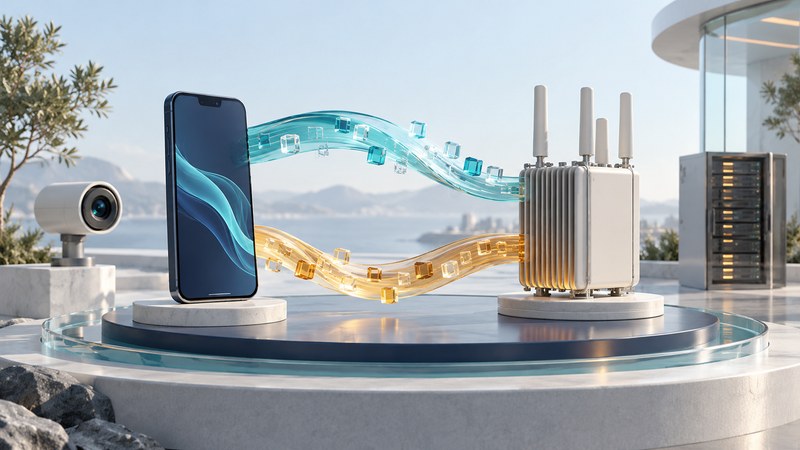
Match a connection to the traffic your application sends and receives. Upload capacity, response time during a transfer, and stability over the whole session can matter more than the largest download number.
Define the workload in each direction
Downlink carries data from the network to the device; uplink carries it back. A viewer mainly downloads video, while a live camera sends a sustained stream upstream. A video call uses both directions and needs timely delivery. Cloud backup may tolerate delay but can compete with a call for uplink capacity.
Consumer marketing often emphasizes downlink speed because streaming, browsing, and app downloads are easy to measure. Many advanced 5G uses depend just as much on uplink. A phone sending live video, a drone uploading inspection footage, a factory camera feeding edge analytics, an ambulance transmitting patient data, or a fixed wireless gateway serving a home all need strong upstream capacity.
Uplink is harder because devices have limited transmit power and smaller antennas than base stations. Indoor users, cell-edge devices, and battery-powered sensors may struggle even when downlink looks strong. A balanced 5G design has to consider both directions, especially for applications that generate data as actively as they consume it.
The 3GPP 5G system overview separates radio access, the core and the external data network. End-to-end performance depends on all of those pieces as well as the application. Measure the path that actually matters to your work.
Build a simple upload budget
A single 25 Mbps result would be encouraging but incomplete evidence. Record sustained behavior at the busiest times, test simultaneous traffic and observe stream quality. A plan’s download tier does not establish how much uplink remains available for the cameras.
Bits and bytes also matter: an ideal 1 GB decimal file contains 8,000 megabits. At a constant useful upload rate of 20 Mbps, its transfer would take 400 seconds, about 6 minutes 40 seconds. Setup, overhead and variable throughput can lengthen the real transfer.
Compare TDD, FDD and full duplex
| Method | Separation | Practical implication |
|---|---|---|
| TDD: time division duplex | Directions use the same frequency resource at different times | The configured uplink/downlink pattern and coordination with nearby cells affect capacity and waiting time. |
| FDD: frequency division duplex | Directions use separate paired frequency resources | Available paired spectrum, device capability and radio conditions constrain the capacity in each direction. |
| Same-frequency full duplex | Transmission and reception overlap in frequency and time | Self-interference cancellation and a defined implementation are essential; ordinary two-way service alone does not establish this capability. |
Many 5G deployments use time division duplexing, or TDD, where uplink and downlink share the same spectrum at different moments in time. This gives operators flexibility: they can allocate more time to downlink-heavy traffic, more to uplink-heavy traffic, or different patterns for private and industrial networks.
That flexibility has tradeoffs. TDD networks require careful synchronization among cells, and neighboring networks need compatible timing to reduce interference. The uplink-downlink split also shapes latency and capacity. A video-heavy venue, factory, or media production site may need a different configuration from a residential mobile broadband area.
For a service offer, ask about measured uplink and downlink for the relevant equipment and traffic pattern. A standards feature or laboratory demonstration should be described with its release, configuration and conditions. 3GPP’s Release 19 description documents continuing evolution; deployed support must be established separately.
Measure delay while the connection is working
Latency is the time for a specified part of a journey. A ping commonly measures round-trip delay to one endpoint. An interactive application also includes encoding, buffering, processing and display. Jitter describes variation in packet delay; packet loss records missing packets under the test’s definition.
ITU-R M.2410 defines its user-plane latency requirements for the radio contribution under stated unloaded conditions. Those values should not be presented as the expected round-trip delay to an arbitrary internet server.
- Record idle latency with a consistent test endpoint and method.
- Repeat while uploading representative traffic, and separately while downloading.
- Run the actual call or stream alongside the intended background workload.
- Record dropouts, audio gaps, buffering and session failures, including their duration.
If delay rises sharply during uploads, temporarily pause or limit the backup and compare again. Improvement helps identify competition or buffering along the path; it does not locate the exact bottleneck by itself. Preserve the test conditions so support can investigate.
Compare results over time
Use the indoor connection log to record locations and busy periods. Keep gateway-to-cellular problems separate from local Wi-Fi limitations. A comparison should include unsuccessful sessions and slow runs, not just averages. Where tools provide percentiles, confirm the sample size and definition before treating a “95th percentile” figure as meaningful.
For private networks, agree the measurement endpoint, packet sizes, offered load, mobility and success criteria before the pilot. The NIST industrial wireless testbed explicitly evaluates performance and resilience under interference and path loss. That type of controlled evaluation is more useful than transferring a vendor’s best laboratory result to a different site.