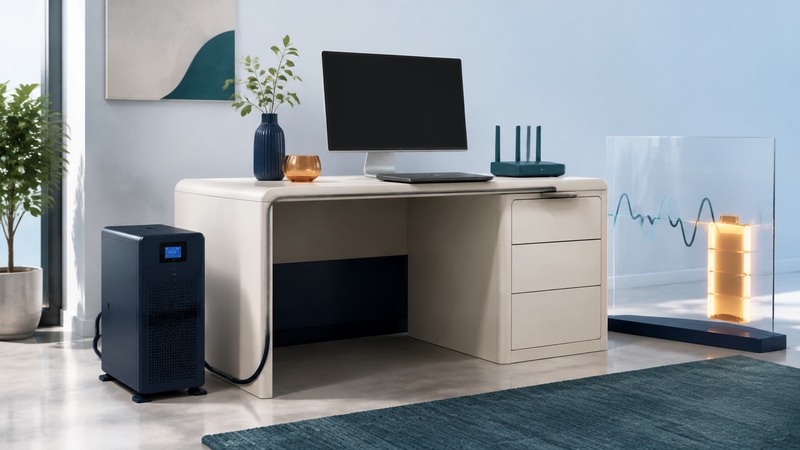
Choose an uninterruptible power supply by the equipment you need to keep running and the time you need to finish safely. For a desk, that may mean saving work and shutting down. For a modem and router, it may mean maintaining connectivity while upstream service is available.
Gather the equipment list, a representative load measurement, the required backup time and the operating-system or network-storage shutdown requirements. This guide covers ordinary office electronics. Medical devices and other critical equipment require their own approved power arrangements.
Measure the load you will actually protect
List each device and decide whether it needs battery-backed power or only surge protection. Include the display needed to save work, the network switch used by a NAS, and the modem or optical network terminal needed by the router. A laptop with a healthy internal battery may allow you to reserve UPS capacity for networking.
A computer’s power-supply nameplate gives its supply capacity; its actual wall draw varies with operation. Use an appropriately rated plug-in meter or supported equipment telemetry to observe idle and demanding operation. Include startup behavior and likely simultaneous peaks. Keep the measurement method beside the result so another person can reproduce it.
On a narrow screen, scroll the table sideways. Keyboard users can focus the table region and use the arrow keys.
| Device | Representative load | Planning note |
|---|---|---|
| Desktop computer | 180 W | Observe demanding work as well as idle. |
| Monitor | 30 W | Keep the screen needed for shutdown. |
| Modem and router | 20 W | Confirm both devices and any required network terminal. |
| Total | 230 W | Check VA separately and allow for higher operating peaks. |
Use your own measurements in place of these fictional loads. Schneider Electric’s UPS buying guide explains watt and VA limits and the separate question of runtime.
Check watts, VA and compatibility separately
Both the UPS output watt limit and its volt-ampere limit must accommodate the load. Watts describe real power; VA describes apparent power. Where measured power factor is known, VA = watts ÷ power factor. A hypothetical 230 W load at 0.8 power factor is 287.5 VA. Do not assume that every device has that power factor.
Capacity margin accommodates variations and growth. For this example, choosing 25% planning margin gives 287.5 W; this is a screening target, not a runtime calculation or a universal sizing rule. Verify transient behavior and the maker’s guidance for the actual load.
Check the output waveform while on battery, transfer behavior, receptacles, regional supply voltage and compatibility with active-PFC computer power supplies. Manufacturer confirmation for the exact combination is stronger evidence than a generic label. AVR on a line-interactive UPS can correct certain voltage variations without consuming the battery; its operating range remains model-specific.
Use the runtime curve at your load
Find the manufacturer’s runtime curve or calculator for the exact model and battery configuration. Read it at the intended watt load. Two products with the same VA rating can have different batteries and substantially different runtimes. Battery age, temperature and repeated discharges also affect the time available. Eaton’s UPS fundamentals guide separates output capacity, battery runtime and graceful shutdown planning.
For a router-only target, make a second load list and use the curve at that smaller load. Internet and telephone continuity also depend on upstream service. Continue saving work normally because backup power covers only one cause of interruption.
Set up and verify automatic shutdown
- Install the UPS according to its manual, allow the specified initial charging time and identify which sockets have battery backup.
- Connect the supported USB or network management link. Install software compatible with the operating system and exact UPS; for a NAS, check the NAS maker’s support list.
- Choose an outage delay or remaining-runtime threshold that leaves enough time for the slowest supported shutdown. Coordinate multiple machines so shared storage remains available until clients finish.
- Save work and run the manufacturer’s supported self-test or controlled commissioning procedure. Confirm events, alerts and completed shutdown in the logs.
- Verify the return-of-power behavior, including whether devices restart automatically and whether unattended restart is appropriate.
Follow the manual’s test method; pulling a plug can alter grounding and is not a universal test instruction. Avoid connecting heaters, laser printers or motor loads unless the UPS maker explicitly supports them. The APC guidance on connecting a laser printer explains the particular problem of high current demand.
Keep a service record
Record the installation date, battery replacement part, self-test result, normal load and observed shutdown time. Recheck after adding equipment or changing the operating system. Investigate overload or replace-battery alarms using the manual; silence alone does not resolve the underlying condition.
Use only supported replacement batteries and the specified replacement procedure. Arrange recycling through an appropriate battery collection route. The EPA battery guidance distinguishes battery chemistries and collection options. For hours of essential household power, use backup generator planning; for the wider household response, use outage safety.
UPS load and shutdown planner
UPS load and shutdown planner — plain-text download. Save a copy and fill it in with your own information. The file includes instructions, assumptions and references so it can be used independently.