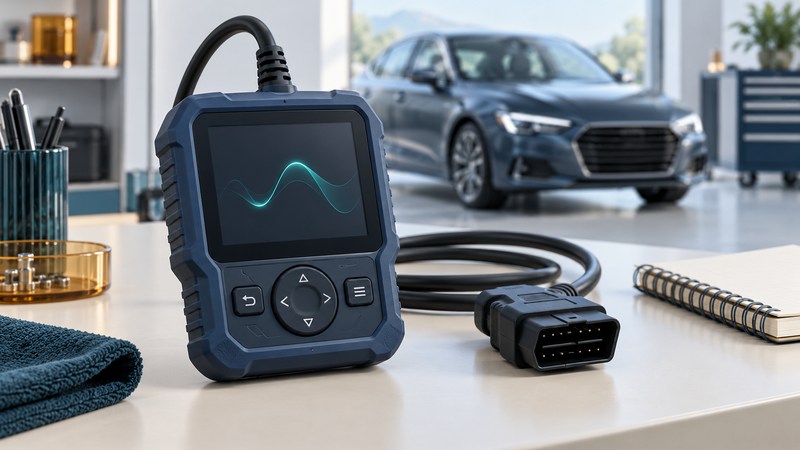
Choose a scan tool by writing one precise job: “Read and save the ABS fault information from this model-year vehicle,” for example. Then verify that the exact tool and software version support that vehicle, module and function.
This guide is for owners and small workshops comparing code readers, phone adapters and more capable diagnostic equipment. Begin with a list of vehicles and intended jobs. A lower-cost reader may fit a narrow task well; advanced features become useful when you have the training, information and equipment needed to use them.
Turn the job into a coverage requirement
On a narrow screen, scroll the table sideways. Keyboard users can focus the table region and use the arrow keys.
| Intended job | Coverage to confirm | Evidence to request |
|---|---|---|
| Read an engine warning | Applicable generic OBD functions, codes, freeze-frame and readiness. | The manual's supported modes and a sample saved report. |
| Investigate ABS or airbag warnings | Exact ABS/SRS module access on the specified vehicle. | Vehicle-specific support for reading codes and relevant data. |
| Follow a diagnostic test | Required live parameters and, if needed, a specific active test. | Function name, conditions and the matching repair procedure. |
| Perform a service function | The exact reset, registration or relearn procedure. | Supported module/version and prerequisites. |
| Program or configure a module | Separate programming capability, subscriptions and compatible interfaces. | OEM procedure and complete tool, access and power requirements. |
A product may read a module's codes yet offer fewer live data items or active tests. Record each required function independently. Include original sales market, engine, transmission and installed equipment when asking about coverage.
Get an answer specific enough to keep
Use the manufacturer's coverage lookup and product manual together. For example, Bosch's ADS vehicle-coverage page provides vehicle selection for its named product family. Coverage advertised for that family should be checked against the exact device you are considering.
- Enter or supply the vehicle year, make, model, market and powertrain.
- Name the module and action, such as reading ABS codes, viewing wheel-speed data or a particular service reset.
- Record the tool model, software release and any required adapter or license.
- Save the lookup result or written support response, including the date and exclusions.
- Resolve a missing or ambiguous function before purchase, and understand the seller's return terms.
For a phone-based tool, verify the adapter, app, phone operating system and subscription as one combination. Check how to export a report you can read outside the app, and whether the account or license can transfer with a used device.
Compare the supported life of the tool
Ask what remains usable if updates or a subscription expire. Record initial price, included update period, renewal cost, per-brand or per-function charges, extra hardware and support terms. Separate mandatory costs from optional upgrades and use the same time period for every candidate.
Support status deserves a direct check. The Bosch OBD 1100 page states that Bosch's OBD code-scanner line has been discontinued. An old product page can still describe functions even when the product's support or purchase situation has changed. This example is a prompt to check current documentation, not a product recommendation.
For occasional work, compare the tool's total cost with obtaining that particular diagnostic service from a qualified shop. Programming, active tests and safety-system work can require substantially more than owning an interface.
Keep the information useful for diagnosis
Save a dated report before clearing anything: vehicle identity, mileage with units, symptoms, codes and their status, available freeze-frame and readiness information. EPA's OBD inspection guidance explains why codes and freeze-frame information matter to diagnosis and how clearing can reset readiness. Use your jurisdiction's current program for inspection requirements.
A code narrows the investigation to a detected condition. The repair decision needs the relevant procedure and confirming tests. Do not trigger active tests, coding or resets merely to see what the menu does. Follow the equipment and vehicle instructions, and use qualified help when the task exceeds your training.
Continue with preserving wireless diagnostic evidence or agreeing diagnostic work with a service advisor.
Keep a coverage comparison
Download the scan-tool coverage sheet. Use one copy per candidate and compare confirmed functions, unresolved gaps and costs on the same basis.
Explore Autos: vehicle guides, technology and design · Cars: buying, maintenance and ownership