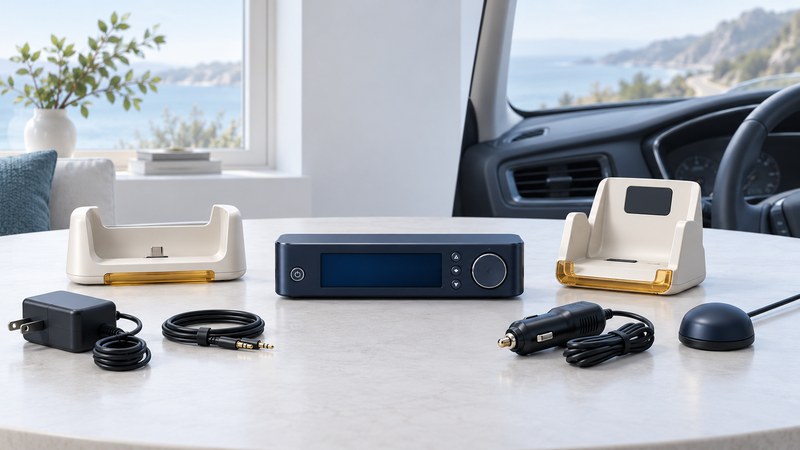
An Audiovox XR9 receiver is the starting point of a system. A complete listening setup also needs the matching kit and its power, antenna and audio parts. Identify the receiver first, then use exact kit numbers to evaluate a box of accessories or a secondhand listing.
Use the XR9’s named accessory families
The Audiovox XR9 owner’s manual (PDF, 128-7220A) names three optional arrangements: the XH9 home kit, XC9 vehicle kit and XB9 boombox. It lists receiver part 144-2450 and remote 136-3773 in the receiver package. These references provide a concrete starting point for identification.
On a narrow screen, swipe the table sideways or focus it and use the arrow keys.
| Kit | Documented purpose | Evidence needed for your assembly |
|---|---|---|
| XH9 | Home installation | XH9 manual, cradle and matching power, antenna and audio parts. |
| XC9 | Vehicle installation | XC9 installation instructions and the complete vehicle kit inventory. |
| XB9 | Boombox arrangement | XB9 documentation and labels confirming its receiver and power requirements. |
Read the XR9 label on the receiver itself. Audiovox branding covers other product families, so compare the complete model and part number at each step. Keep an accessory’s claimed compatibility separate from a readable label or an explicit manual reference.
Inventory the documented XH9 home kit
The XH9 installation manual (PDF, 128-7219A, page 5) identifies cradle 136-3772, power adapter 136-3782, antenna 118-1134 and audio cable 112B3293. Put these beside photographs of the actual parts before trying to complete an incomplete kit.
- Cradle: record its part label and inspect the docking area and labeled connections.
- Power adapter: photograph its complete electrical label and model number. Resolve a missing or substitute adapter through exact documentation.
- Antenna: record the part number and condition of its cable and connector.
- Audio connection: identify the cable and the stereo input you intend to use.
Record “unreadable” or “missing” where needed. Those entries are useful: they tell you what a seller or technician must resolve. A plug that enters a socket establishes physical fit only; approved power and signal compatibility need their own evidence.
Follow the home kit’s connection order
The XH9 manual shows the cradle’s ANT, AUDIO and DC IN connections and instructs the user to connect mains power last, after checking the interconnections. Its docking drawings show guide pins, grooves and the latch. Follow those drawings; stop if the receiver fails to seat normally. For a cabled stereo connection, it also directs the user to turn the XR9’s FM option off.
- Identify the destination input. Find the stereo input named in the kit’s connection method and make a note of the input selector position.
- Match the assembly to the manual. Check the receiver, cradle and each labeled part, with power disconnected as instructed.
- Use the kit instructions for docking and wiring. Work through the documented order instead of connecting by plug appearance.
- Observe the first result. Record the display message, signal condition, selected channel and audible output as separate findings.
The owner’s manual provides an Antenna Aiming function for evaluating reception. Use the home satellite-radio guide to organize reception and audio troubleshooting, while keeping the XR9 and XH9 manuals as the authority for this hardware.
Evaluate an incomplete receiver set
Before investing in missing accessories, contact current SiriusXM support with the receiver’s Radio ID and intended service. The named kit relationships come from historical hardware manuals; they make no promise about current stock, replacement-part availability or activation for an individual receiver.
Use the legacy receiver inventory and test sheet (plain text) to keep the labels, manual references, missing parts and observed results together. Detailed XC9 and XB9 installation procedures are outside this home-kit reference; obtain the appropriate kit manual before assembling either arrangement.