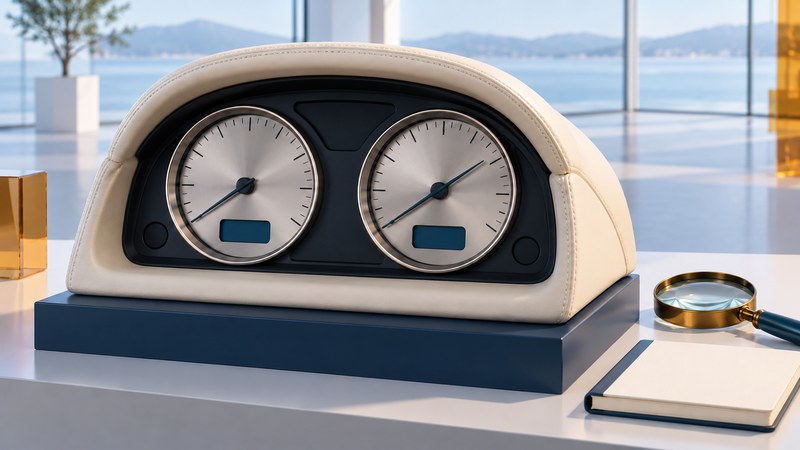
The early Aston Martin DB9 instrument panel combines analog instruments, warning lamps and small information displays. A concern about “the dash” becomes much easier to discuss when you identify the affected area and record what it actually does.
This guide uses the February 2005 DB9 workshop manual and Yazaki's 2004 account of the instrument design. It helps prepare a parked observation record for an owner or specialist. Later DB9 versions, replacement instruments and individual cars need their own matching documentation.
OLED and WatchDial describe different things
Yazaki's June 11, 2004 supplier statement, reproduced in German, describes OLED displays in the DB9's instruments and infotainment control module. OLED means organic light-emitting diode. The WatchDial treatment concerns the instrument face and its decorative illuminated details; it is not a name for the entire electronic architecture.
Keep the information display, dial-face illumination and mechanical-looking pointer presentation separate in your description. A dim information area and a poorly illuminated scale are different observations even when they occur in the same cluster. The original technology announcement provides no basis for estimating the failure rate of a car you are viewing.
Identify the instrument area
On a narrow screen, scroll the table sideways. Keyboard users can focus the table region and use the arrow keys.
| Area | Documented role | What to record |
|---|---|---|
| Analog instruments | Vehicle speed, engine speed, fuel and coolant temperature. | Name the dial; note legibility, units and any visible abnormality without guessing a cause. |
| Left message center | Odometer, cruise status, gear range and T1/T2 trip distance. | Copy the exact information or identify the blank portion. |
| Right message center | Trip-function information and warning/information messages. | Record the complete message and accompanying lamp. |
| Gear-position indicator | Transmission-specific gear or mode information. | Record transmission type and the actual symbol; do not compare unlike configurations. |
| Warning lamps | Separate indications of vehicle status. | Identify the symbol through the matching handbook and follow its instruction. |
The manufacturer workshop manual, Issue 2, February 2005, mirrored by iFixit, maps these areas in section 13.01, printed pages 13-1-2 through 13-1-4 (PDF pages 466–468). Its diagram also shows the tachometer scale running in the opposite direction to the speedometer scale. Read the labelled value and units; pointer position alone is not a transferable measure between the two dials.
Make a useful parked observation
- Establish identity. Record model year, transmission, market and the handbook edition. Note any known cluster replacement or instrument work from invoices.
- Describe ordinary visibility. With the vehicle safely parked, compare the information you can read in daylight and shade. If checking illumination settings, use only the controls and conditions described in the owner handbook.
- Record each area separately. Note a whole blank display, missing characters, uneven brightness or a specific unreadable message. Do not translate a photograph's exposure problem into a display fault.
- Keep the operating context. State whether the engine was off or running, what lighting setting was selected, and when the observation occurred. Do not idle in an enclosed space.
- Pass on evidence. Give a specialist the exact message, location, circumstances and relevant service records. Let the vehicle-specific inspection establish the cause and repair.
A warning that requires immediate action takes precedence over completing a worksheet. Follow the matching handbook before continuing to drive. A photograph or this panel map cannot establish that a warning is harmless.
Example: an unreadable message is not a diagnosis
Fictional viewing: the analog scales are readable, but part of the right information area is difficult to read in bright light. In shade, the owner can read it. A useful note records both conditions, the displayed text and whether the brightness setting was documented. It does not say “OLED failed.”
If the message itself reports a vehicle problem, record that separately from its readability. The specialist then has two questions: what the car is reporting, and whether the display presents it correctly. Replacing a screen would not necessarily address the underlying message.
Take the record to the inspection
Download the DB9 display observation record. Leave untested conditions blank. Do not remove trim, disconnect the battery, clear faults or attempt instrument replacement as part of this visual check.
The digital cockpit explainer separates information sources, computing and displays. That framework is useful here, but the DB9's actual service architecture must come from its own documentation. A successful observation produces a precise question and repeatable circumstances, not a parts order.
Explore Autos: vehicle guides, technology and design · Cars: buying, maintenance and ownership