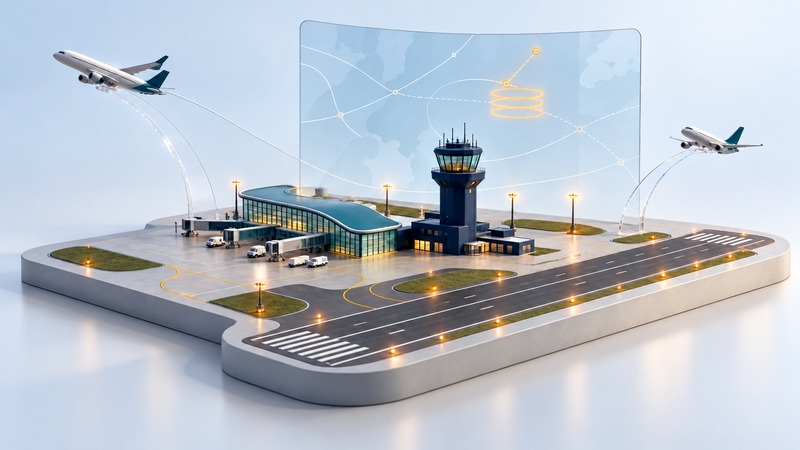
Air traffic control coordinates aircraft movement and separation through a network of facilities. A control tower is one visible part of that system. For a traveler, the useful distinction is between the people guiding a particular flight and the wider traffic-management measures used when demand exceeds available capacity. This explanation uses the U.S. system.
On a narrow screen, scroll tables sideways. Keyboard users can focus a table and use the arrow keys.
Follow a typical controlled flight
| Phase | Typical facility or role | What it contributes |
|---|---|---|
| Taxi and takeoff | Airport traffic control tower | Coordinates movement on controlled taxiways and runways and issues takeoff clearances. |
| Departure and initial climb | Terminal Radar Approach Control, or TRACON | Sequences aircraft through the terminal area and hands them onward. |
| En-route flight | Air Route Traffic Control Center, or ARTCC | Manages aircraft through larger areas of controlled airspace, with sector handoffs. |
| Descent and approach | TRACON / approach control | Organizes arriving traffic toward the destination. |
| Landing and taxi in | Airport tower | Coordinates runway use and movement on controlled airport surfaces. |
The FAA's Air Traffic Services overview identifies these facility types. Its controller team responsibilities explain separation, instructions, communication and handoffs. Local organization varies; ramp areas can have separate coordination, and some airports have no tower.
A change of radio frequency during a flight usually reflects a handoff between responsibilities. Pilots operate the aircraft and work within the applicable clearances; controllers coordinate the traffic around it.
Why a flight can wait in clear weather
A flight uses capacity at its departure airport, along its route and at its destination. Bad weather elsewhere, a runway closure or an equipment outage can reduce that capacity even when the departure airport looks calm.
The FAA Command Center coordinates traffic-management initiatives with facilities and aviation operators. These include reroutes, spacing measures, ground delay programs and ground stops. The aim is to match the flow of aircraft to the space and services available.
Keeping some aircraft on the ground can reduce the need to hold them in the air. An airline may also need time for its arriving aircraft, crew, gate, maintenance or baggage. A traffic restriction can interact with those operational constraints, so the reason for the first delay may not explain every later minute.
Ground stop and ground delay program mean different things
Ground stop
The FAA's ground-stop procedures require flights meeting stated criteria to remain on the ground. The scope can be a destination, airspace or another defined group. Read that scope: a stop affecting departures bound for an airport is not automatically a closure of every operation there.
An advisory can state an expected update time and a probability of extension. An update time is a point for reassessment; it is not a guaranteed takeoff time for your flight.
Ground delay program
A ground delay program manages demand by assigning arrival slots and calculating departure times. The resulting Expected Departure Clearance Time, or EDCT, relates to traffic flow. It differs from the passenger's boarding time and the time the aircraft leaves its gate.
The distinction helps explain why one flight may depart while another waits: they can have different destinations, routes, program assignments and operating readiness.
Use two official views of a disruption
- Check your operating airline's flight status and messages for the flight-specific plan, boarding instructions and rebooking options.
- Open the FAA National Airspace System status page for wider airport and traffic-management context. It is an interactive page that requires JavaScript.
- Read the affected airport or airspace, reason, scope and timestamp. Convert the displayed time zone carefully; aviation advisories often use UTC.
- Distinguish an average delay or program duration from the estimate for your individual flight.
- Stay available for boarding and follow the airline's instructed airport deadlines unless it explicitly changes them.
If the app and departure board disagree, ask the airline at the airport which instruction applies. A public traffic display provides context; the carrier manages the reservation and passenger communications.
Read an advisory without overinterpreting it
For a connection decision, write down the latest arrival estimate, onward gate deadline, transfer requirements and available alternatives. The check-in guide explains why departure time and gate closure must be tracked separately.